
Increase Your Affiliate Link Clicks & Revenue

Automatically highlights your affiliate links with highlighter when visitors scroll down your page.

Complete Living Room Decor Guide: Ideas, Items & Placement Rules

A well-decorated living room balances functional layouts, correct proportions, and layered accents. Below is a complete guide breaking down essential decor categories and specific items, along with exact rules on where and how to place them.

1. Wall Art & Mirrors

  • Large Statement Canvas / Framed Prints: Hang directly above the main sofa or on the primary focal wall. Position the center of the frame at eye level (57 to 60 inches from the floor) and ensure its width spans about two-thirds of the sofa’s width to maintain visual balance.
  • Gallery Wall Set: Arrange on an expansive empty wall opposite the seating area. Maintain a consistent 2 to 3-inch gap between individual frames to keep the arrangement unified and intentionally structured.
  • Accent Mirrors: Mount opposite windows or adjacent to major light sources. Reflecting natural light throughout the room opens up tight visual angles and makes smaller living spaces feel larger.

2. Lighting & Fixtures

  • Ceiling Pendant / Chandelier: Mount centrally over the main seating cluster or coffee table. Ensure the bottom of the fixture hangs at least 7 feet above the floor to provide ambient light without obstructing movement.
  • Corner Floor Lighting: Place tall floor lamps directly near empty room corners. Positioning a floor lamp at a corner space anchors an otherwise unused area, draws the eye upward to emphasize ceiling height, and eliminates harsh visual dead zones to make the entire layout feel finished and balanced. You can explore top options on Amazon, Walmart, and other retailers to see which floor lamps for corner space
    ✕

    Discover 15 top-rated corner floor lamps for warm living room lighting.
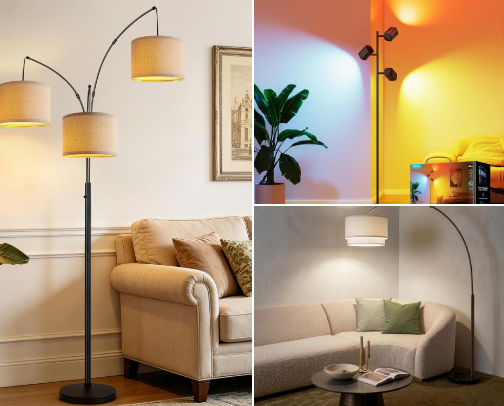
    15 Best Corner Floor Lamps for Living Room
    fit best in your living room.
  • Table Lamps: Position on side tables flanking the sofa or on a console table. Set the height so the bottom edge of the lampshade aligns with eye level when seated to prevent direct glare.

3. Surface & Tabletop Decor

  • Decorative Trays: Place on the center of coffee tables or ottomans. Grouping smaller accessories like remotes, coasters, and candles inside a tray prevents tabletop clutter while creating a neat focal point.
  • Coffee Table Books & Vases: Stack 2 to 3 large hardcovers on a coffee table, topped with a medium-sized ceramic vase. Varying the height of these items creates depth and visual texture on flat surfaces.
  • Console Bowl / Catchall: Place on a side console or media unit surface near the room entrance. It provides a dedicated spot for keys and small items while keeping surfaces tidy.

4. Rugs & Textiles

  • Large Area Rug: Center directly beneath the main seating group. Ensure at least the front legs of the sofa and chairs sit on the rug, leaving a 12 to 18-inch border of bare floor near the walls to properly scale the seating area.
  • Throw Pillows & Blankets: Arrange larger 20×20 inch square pillows at the outer corners of the sofa and drape throw blankets over the sofa backrest to introduce soft textures like linen, wool, or velvet.

5. Greenery & Plants

  • Tall Floor Plants: Position in empty floor spaces beside media consoles or window frames to bring natural height, organic shapes, and fresh color into the room.
  • Small Potted Succulents / Trailing Plants: Place on open bookshelves, mantelpieces, or side tables to add subtle green accents across different eye levels.

Key Living Room Decor Checklist

  • Proportional Area Rug: Anchors all main seating pieces together seamlessly.
  • Corner Lighting Solution: Uses floor lamps to fill empty room angles and balance out your lighting scheme.
  • Layered Table Top Accents: Combines trays, books, and vases of varying heights on flat surfaces.
  • Curated Wall Art & Textiles: Combines eye-level wall frames with textured throw pillows for visual warmth.

Why ScrollStrike?

Problem

Your readers ignore affiliate links while scrolling through posts, leading to lost clicks and revenue.

Solution

ScrollStrike automatically highlights your links as readers scroll down, making your recommendations impossible to miss.

Features

Feature 1

Add Highlighter Notes Instantly

Attach context, previews, or images to any link in seconds while writing your post—no extra setup required.
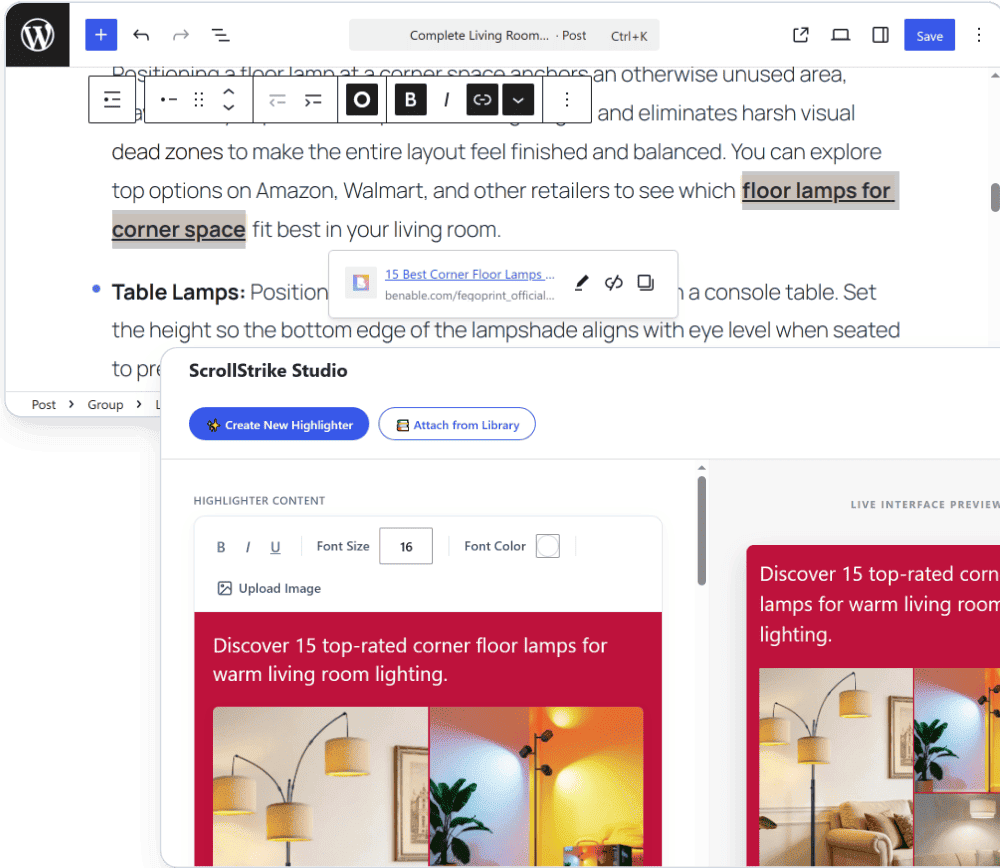
Add Highlighter Notes Instantly
Feature 2

Live Preview Studio

See exactly how your highlighter looks before publishing it on your site.
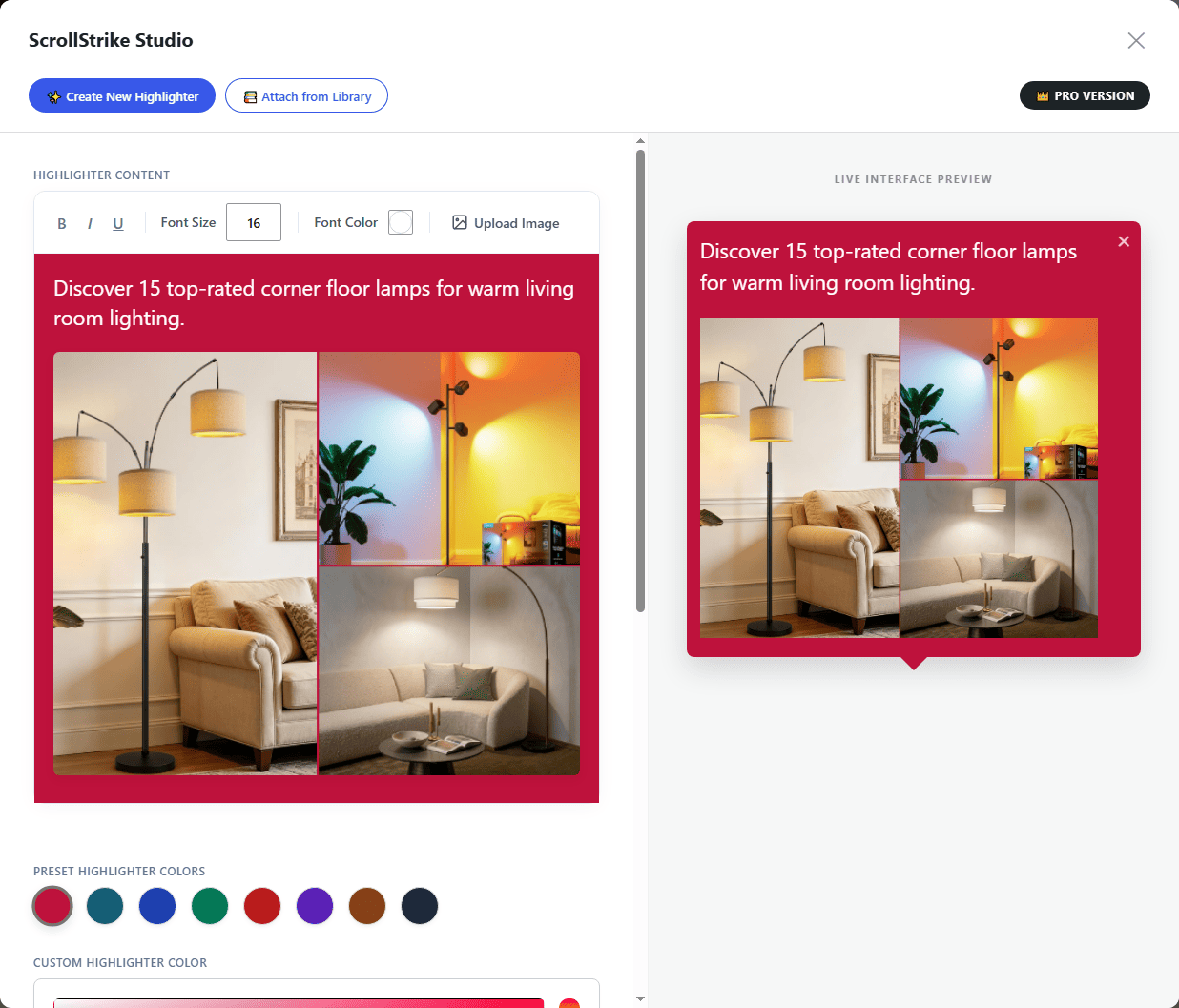
Live Preview Studio
Feature 3

Ready-Made & Custom Colors

Choose any color for your highlighter note—use ready-made presets or pick your own custom brand color.
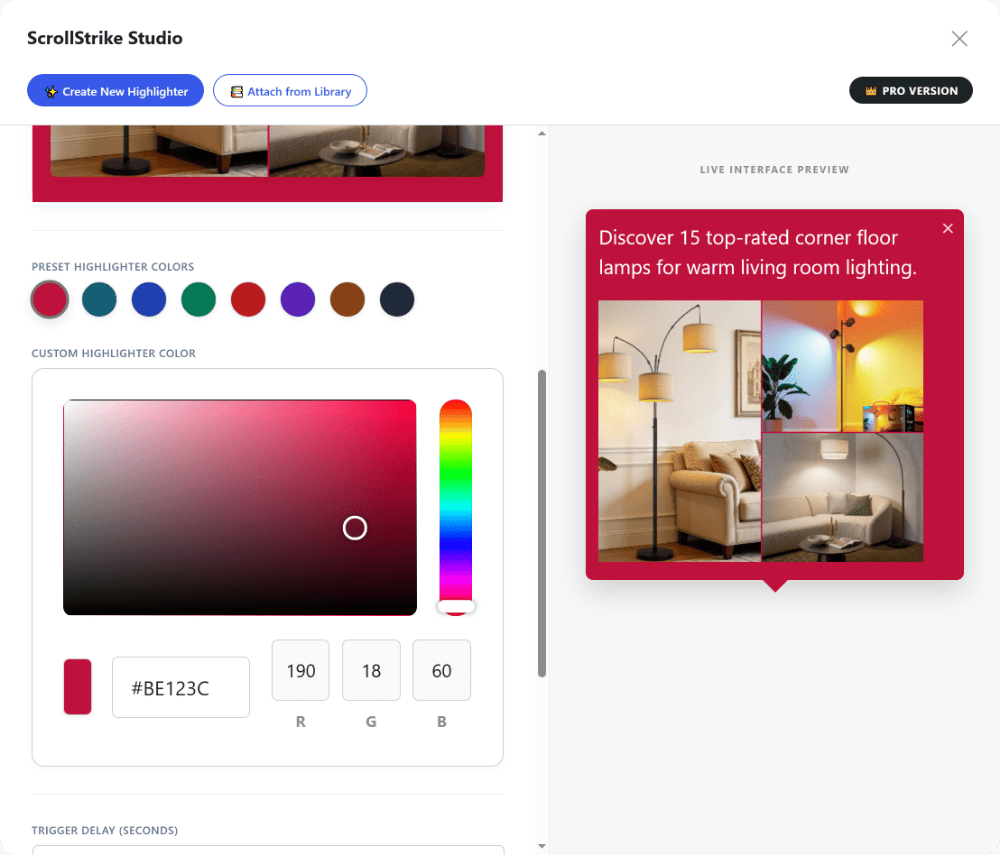
Ready-Made & Custom Colors
Feature 4

Delay Time

Control how many seconds to wait before showing the note. The countdown begins only when the visitor actually reaches the link while reading.
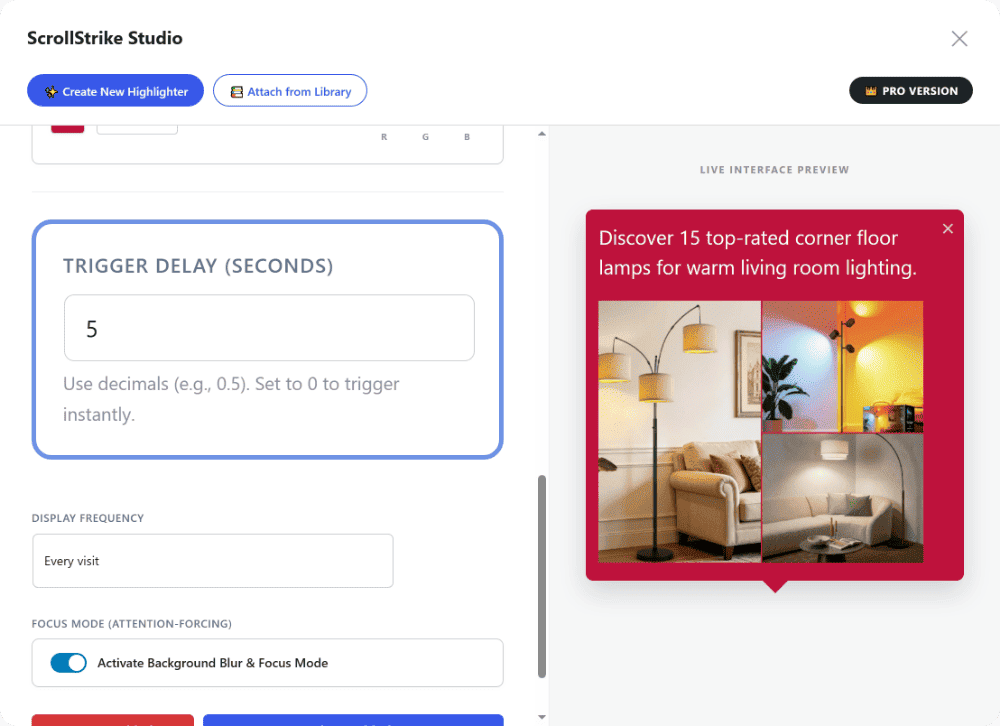
Delay Time
Feature 5

Focus Mode (Background Blur)

When a visitor scrolls to your link, the background softly dims and blurs so their full attention goes straight to your recommendation.
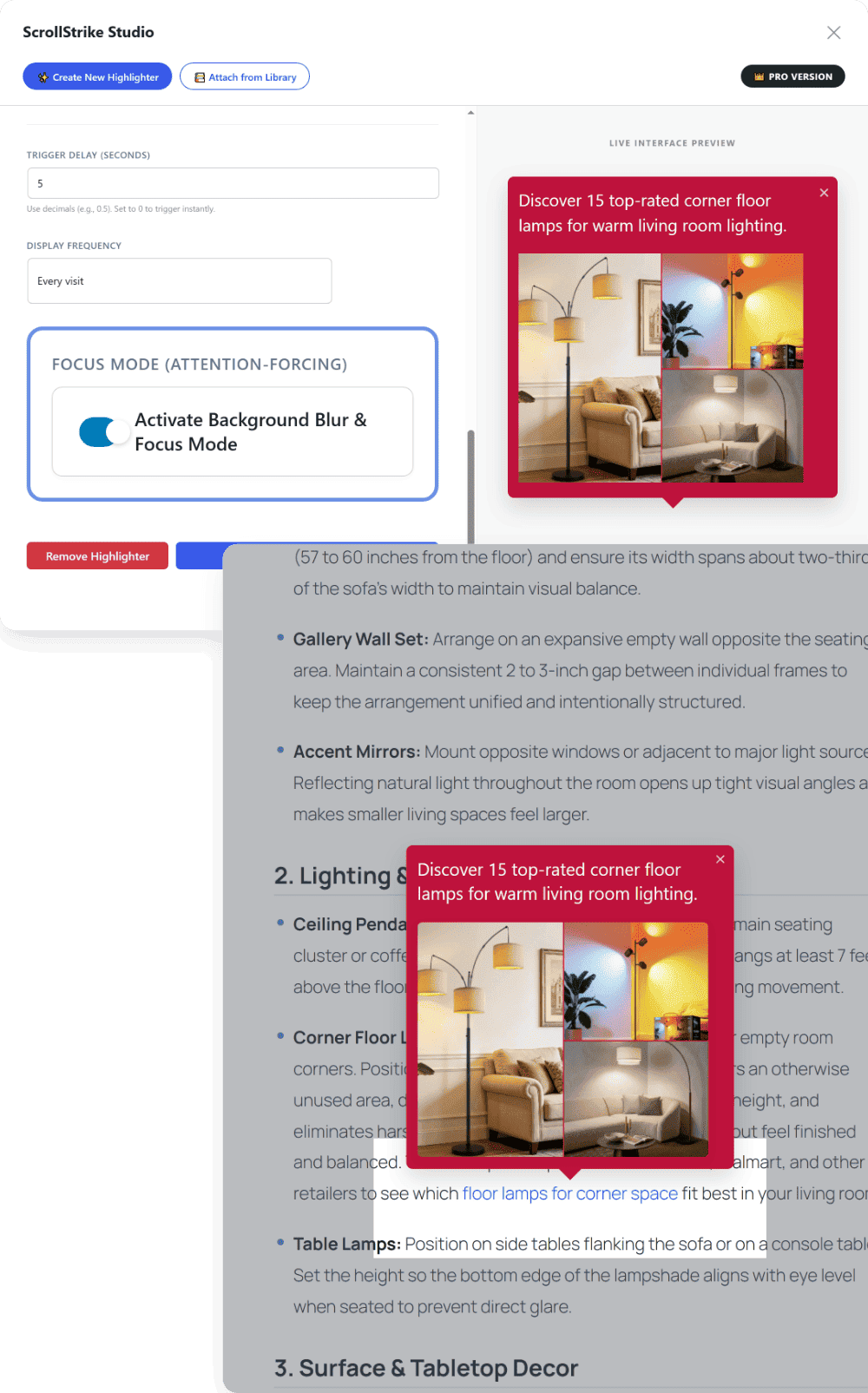
Focus Mode (Background Blur)
Feature 6

Display Frequency

Control whether a repeat visitor sees the same highlighter note again on their next visit to the same page.
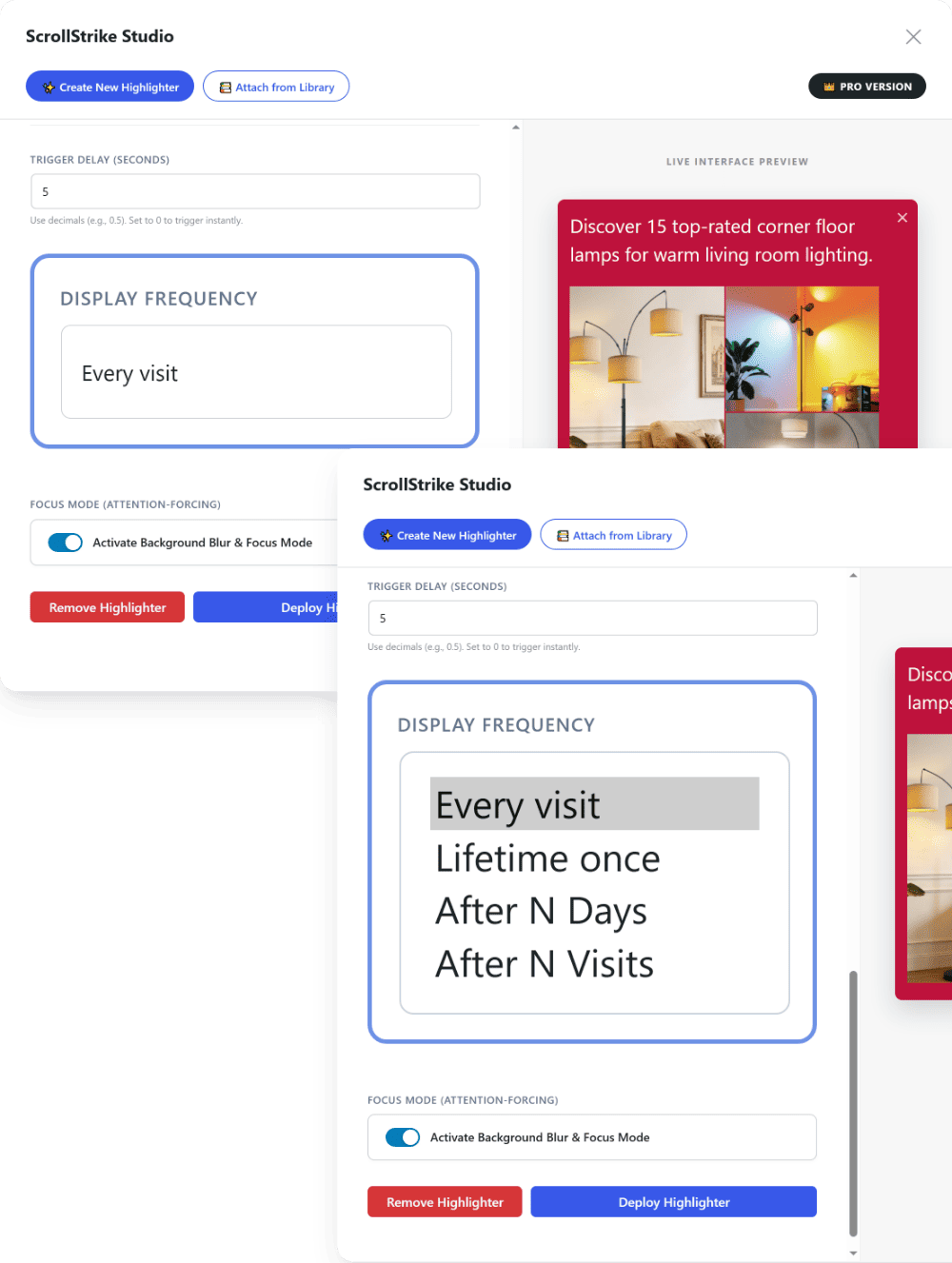
Display Frequency Rules
Feature 7

Highlighter Library & Reuse

Your notes are automatically saved to your library—reuse them on any link across different posts with a single click.
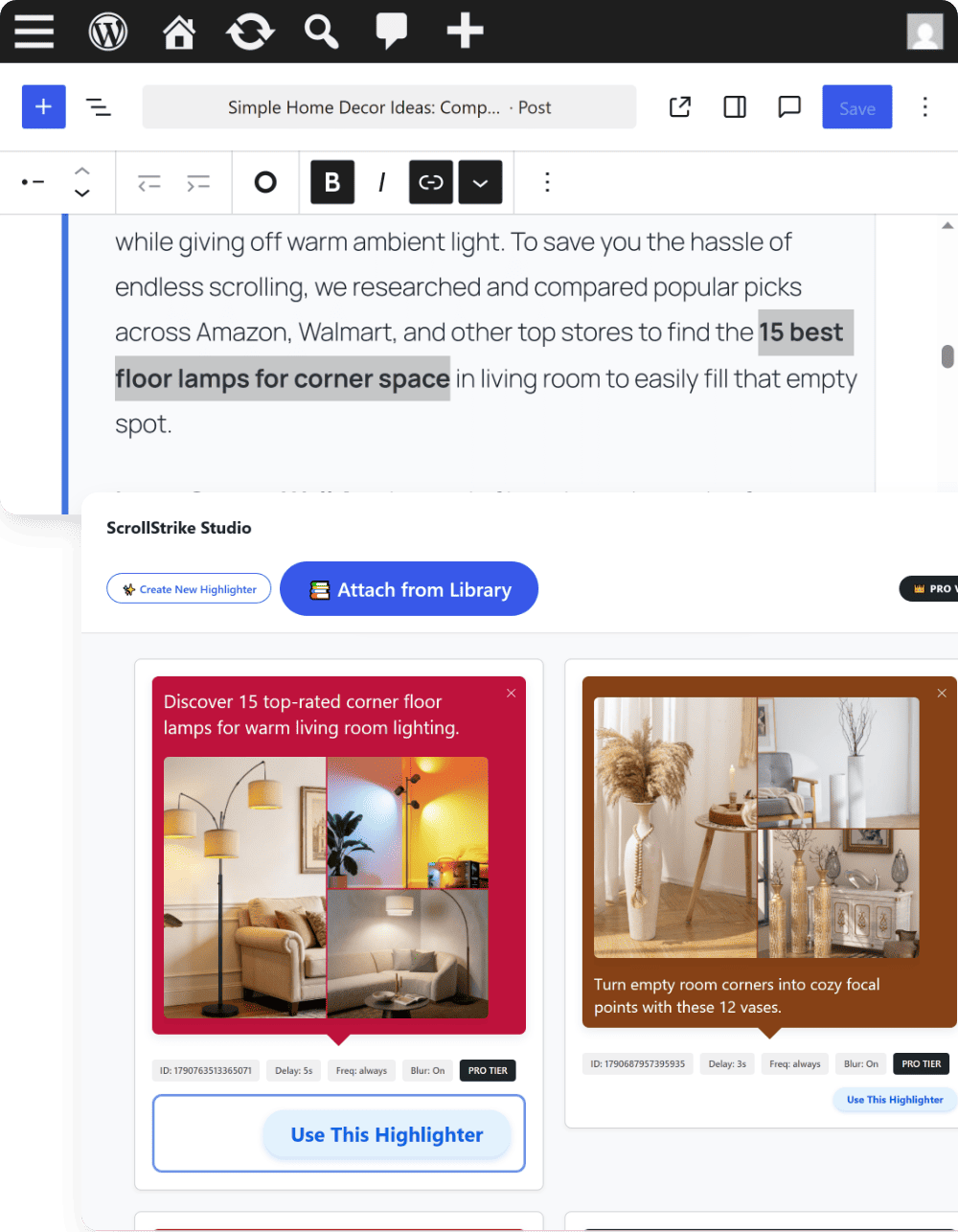
Highlighter Library & Reuse
Feature 8

Deployment Tracker

Click the "Linked Pages" button to view the full list of posts and pages where that highlighter note is currently running.
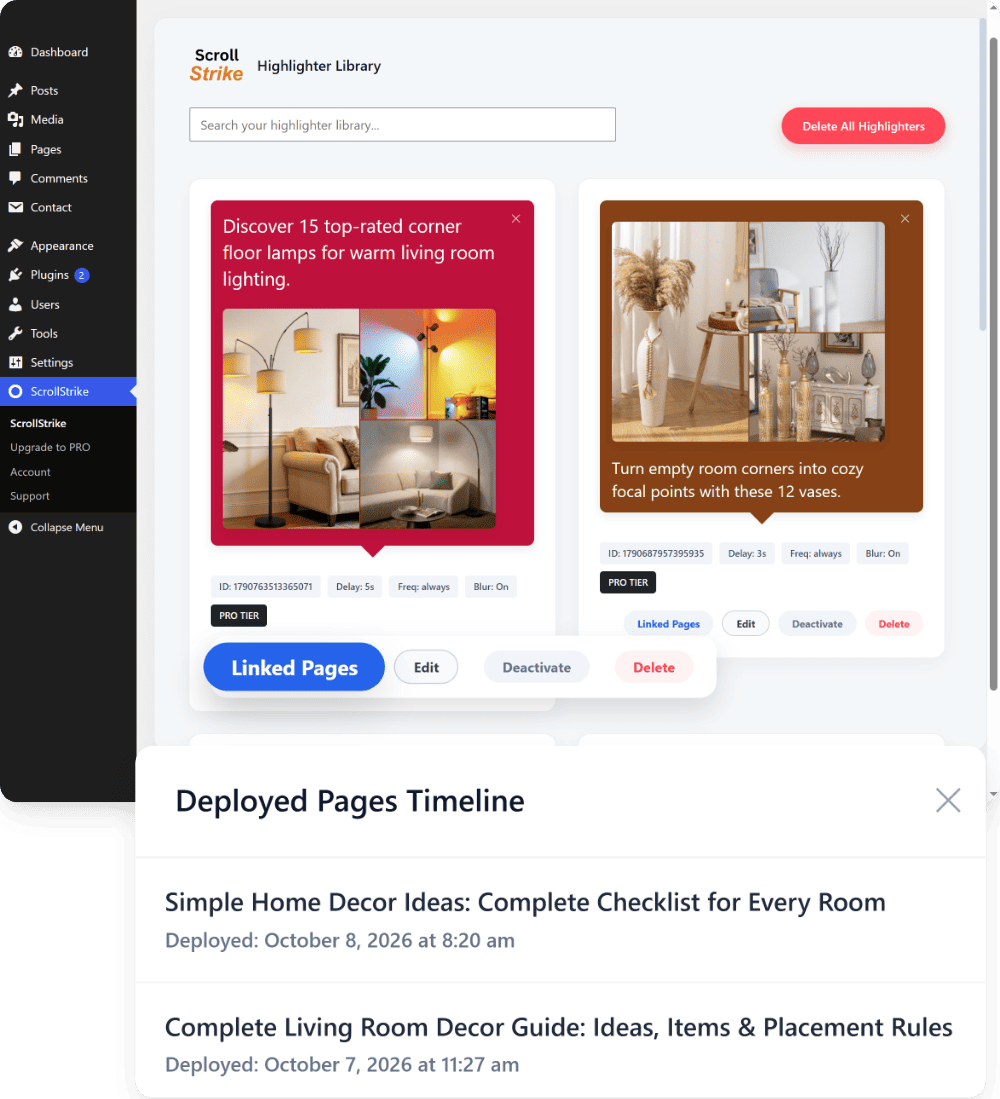
Deployment Tracker

How to Use ScrollStrike

1

Open Your Post & Select Link Text

Open any blog post in the WordPress editor and select the linked text where you want your note to appear.
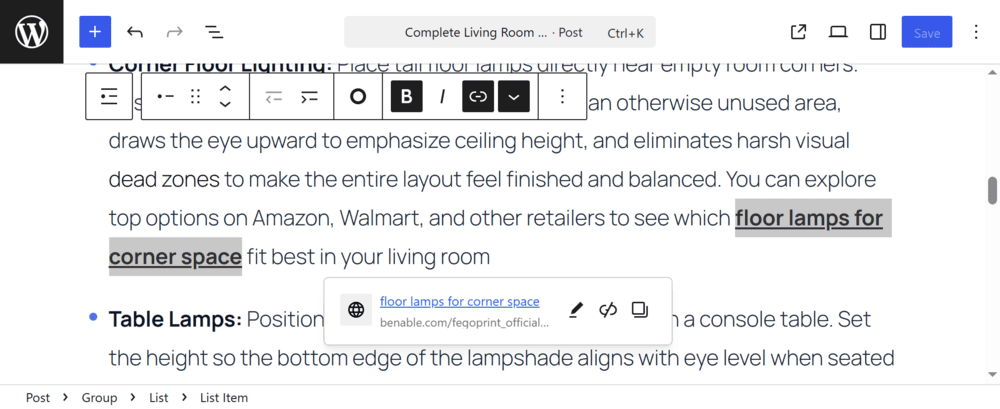
Step 1: Open Your Post & Select Link Text
2

Click the ScrollStrike Button

Click the ScrollStrike highlighter icon directly inside the editor toolbar to open the studio.
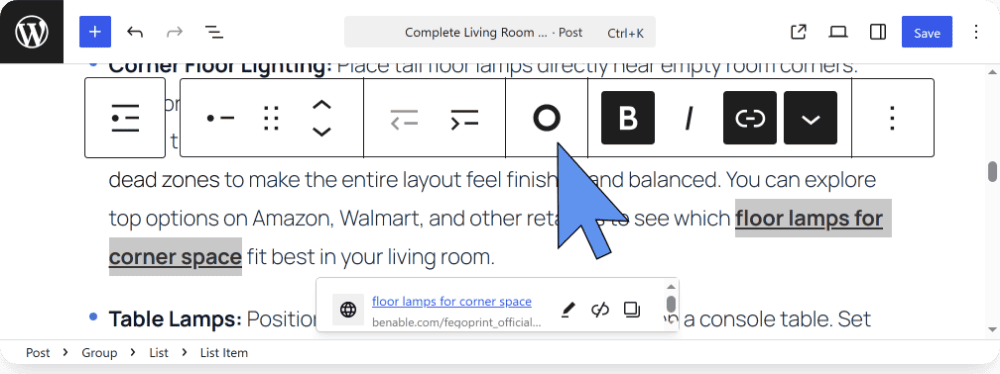
Step 2: Click the ScrollStrike Button
3

Add Note Text or Image

Type your message or insert an image into the note box to add context to your recommendation.
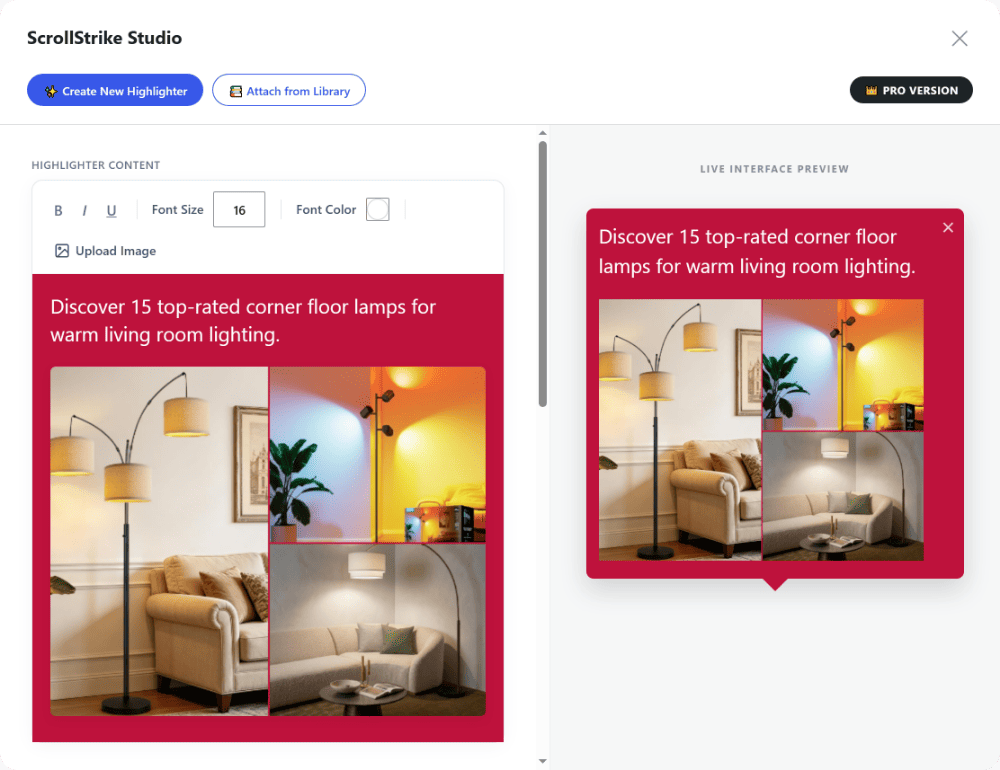
Step 3: Add Note Text or Image
4

Choose Color, Delay & Settings

Pick a highlighter color, set your trigger delay, adjust frequency, or enable focus mode with the live preview.
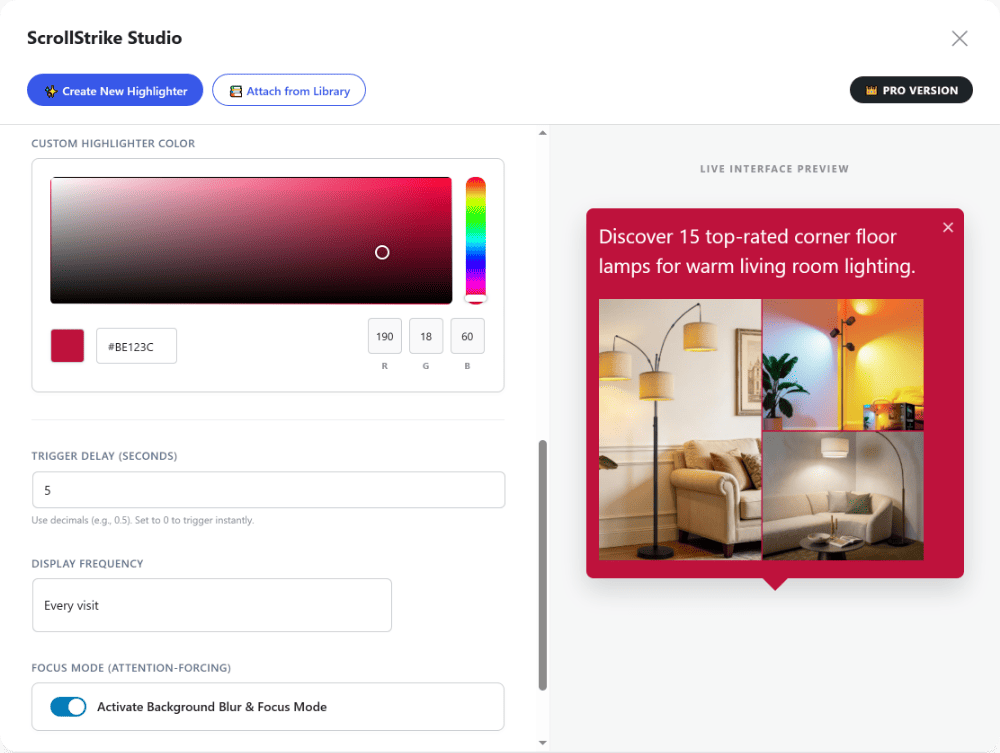
Step 4: Choose Color, Delay & Settings
5

Deploy Highlighter

Click "Deploy Highlighter" to attach your note, then publish or update your post.
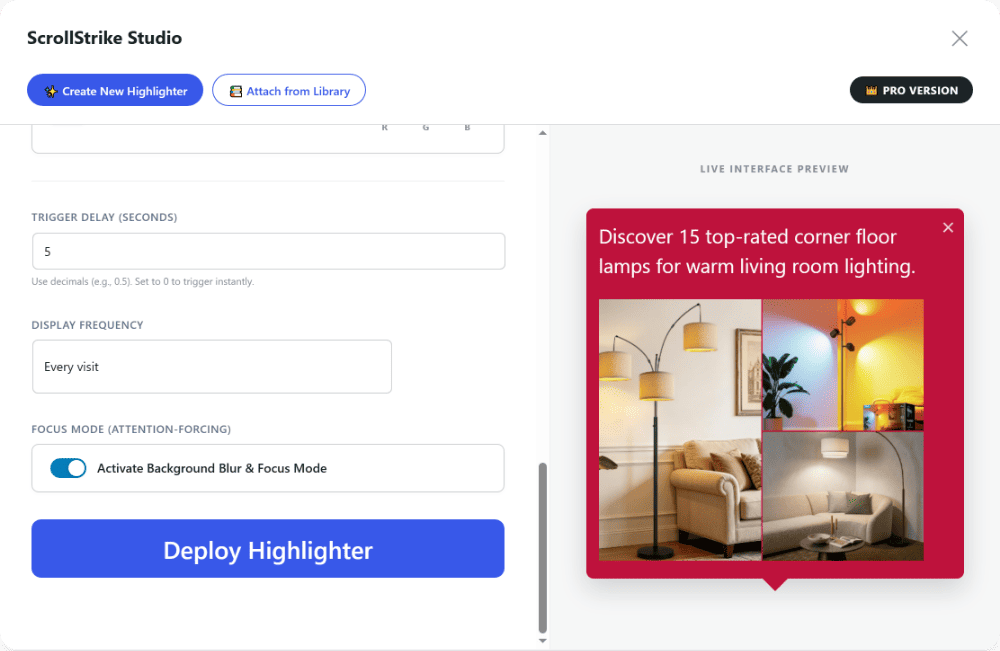
Step 5: Deploy Highlighter

Plans

ScrollStrike FREE

✓ Max 3 unique highlighters
✓ Target only 3 elements
✓ 8 basic color presets only
✓ Frequency & Delay Control
✕ Focus Mode (Background Blur)
✕ Premium Customer Support

ScrollStrike PRO

✓ Unlimited unique highlighters
✓ Unlimited target elements
✓ Pick Any Color
✓ Frequency & Delay Control
✓ Focus Mode (Background Blur)
✓ Premium Customer Support

Start Free Today

Download and use free forever, or upgrade anytime inside your WordPress dashboard.

Recommended
ScrollStrike
Free Forever
$0

100% Free Forever

Start highlighting your affiliate links right away with zero cost.

ScrollStrike
1 Month Pro License
$3

$3 per month

Unlock PRO version for 1 month at $3.

Save 22%
ScrollStrike
6 Months Pro License
$14

~$2.33 per month

Unlock PRO version for 6 months at $14.

Save 50%
ScrollStrike
1 Year Pro License
$18

$1.50 per month

Unlock PRO version for 1 year at $18.

Lifetime Deal • Pay Once Forever

Get ScrollStrike Lifetime PRO

Pay once and get the full PRO plugin forever. Includes instant direct PRO ZIP download, all future updates, and unrestricted access with zero recurring fees.

$59 USD
One-Time Payment
Get Lifetime PRO Secured checkout via Gumroad

Frequently Asked Questions

Download Free ZIP